Automate one task in minutes
One routine step can stop eating the workday.

SeekVero editorial · Published · Prepared with AI assistance; no hands-on testing claimed.
Prepared from cited sources. No hands-on testing claimed.
A small business can automate one repetitive step
Zapier is built for automating work across apps, so a small business can use it to move one routine task off a person’s plate. Official help says it is infrastructure for AI-powered automation, with 9,000+ apps and AI workflows and agents. [1]
In practice, that means a common handoff can happen without copy-paste. A form submission, a new lead, an order note, or a message can trigger the next step in another tool. The main win is not magic; it is removing one repeated action that keeps interrupting the day.
- Pick one task that happens the same way every time, such as sending a notice or creating a follow-up.
- Connect the apps involved and define the trigger plus the action you want to happen next.
- Test it on a real example, then keep only the version that does the job reliably.
| Option or question | What to know |
|---|---|
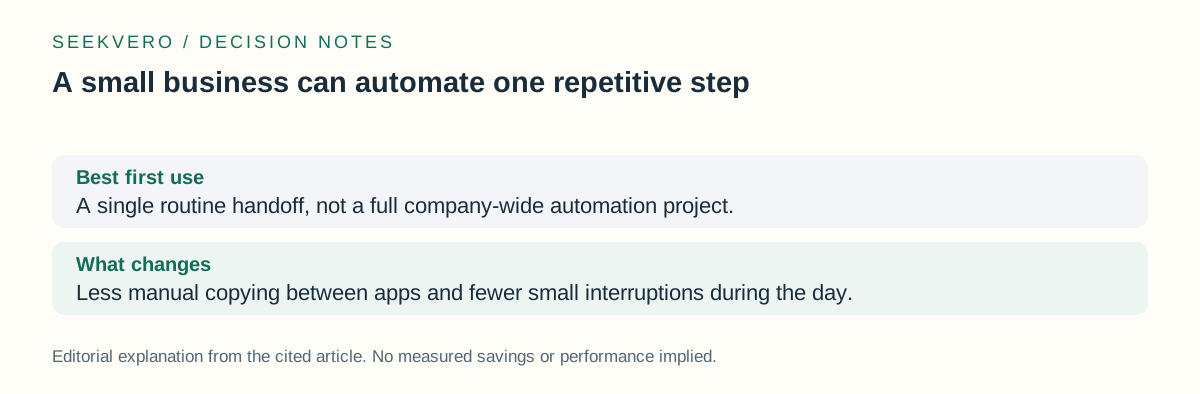
| Best first use | A single routine handoff, not a full company-wide automation project. |
| What changes | Less manual copying between apps and fewer small interruptions during the day. |
How Zapier fits the workflow
For a small business, the useful part is the trigger-and-action model. One app detects that something happened, and another app responds. That can turn a repeated admin step into a background process.
Zapier’s official description also points to AI workflows and agents, which suggests the product now covers more than simple one-to-one app moves. Even so, the practical question is still the same: which task is repetitive enough to automate safely, and which one still needs a person to review it? [1]
- Start with a low-risk task where a wrong move would be easy to catch.
- Leave approvals, exceptions, and customer-sensitive decisions with a person.
- Expand only after the first automation saves time without creating cleanup work.
| Option or question | What to know |
|---|---|
| Good candidate | A task with the same inputs, same result, and low downside if it runs automatically. |
| Poor candidate | A task that needs judgment every time, or where a mistake would be hard to unwind. |
Price and billing are published, but task rates can still vary
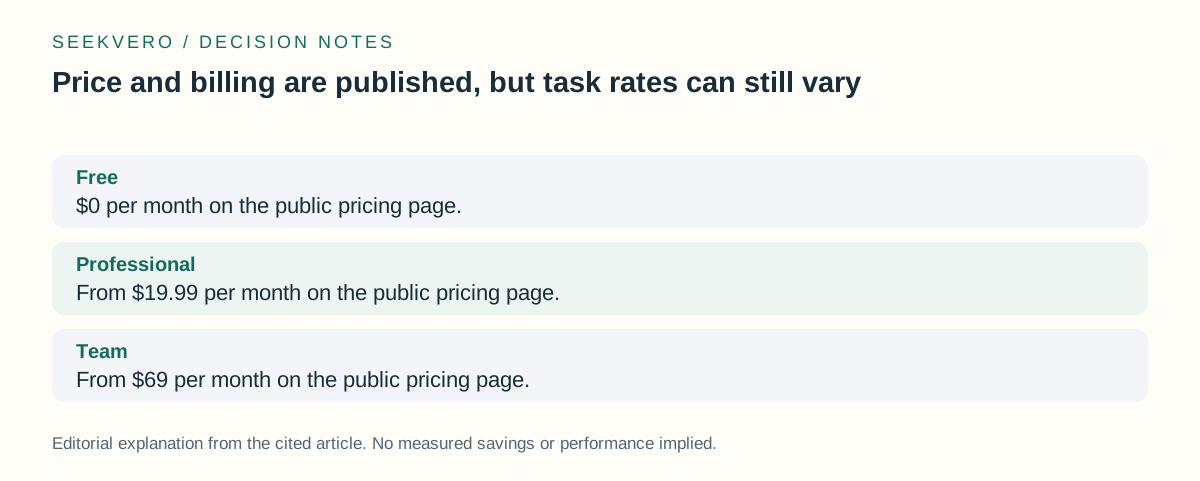
Zapier’s public pricing shows a Free plan at $0 per month, Professional from $19.99 per month, Team from $69 per month, and Enterprise as contact sales. [2]
There is also a pay-per-task billing model on paid plans, but the exact rates are account-specific. That means the number you see in one account is not something to assume for every customer. [3]
For a small business, the decision is usually less about chasing the cheapest plan and more about checking whether the one task you want to automate fits the plan rules, app coverage, and billing model you will actually use.
- Check the pricing page for the current plan names and monthly starting prices. [2]
- Check the billing help article if your use case depends on pay-per-task pricing. [3]
- Match the plan to the one workflow you want first, not to a hypothetical future setup.
| Option or question | What to know |
|---|---|
| Free | $0 per month on the public pricing page. [2] |
| Professional | From $19.99 per month on the public pricing page. [2] |
| Team | From $69 per month on the public pricing page. [2] |
| Enterprise | Contact sales. [2] |
Who benefits most and what to check next
This is most useful for owners, solo operators, and small teams that keep repeating the same admin step across different apps. If the work is simple but frequent, automation can reduce friction without requiring a new system.
The safest next step is to review the official help and pricing pages, then map one real task before trying to automate more. If you cannot name the exact trigger, action, and fallback behavior, the task is probably not ready yet.
- List one task you repeat often and the app where it starts.
- Check whether the needed apps are covered by Zapier’s 9,000+ app support. [1]
- Use the official help and pricing pages to confirm the setup and billing details before you commit. [1] [2] [3]
| Option or question | What to know |
|---|---|
| Who it helps | Small businesses that want to remove repetitive app-to-app work. |
| Main caution | A good first automation is narrow, easy to test, and easy to reverse if needed. |
Frequently asked questions
Is Zapier only for big teams?
No. The public pricing includes a Free plan, which makes it possible to start small and test one workflow before paying for more capacity. [2]
Can I rely on one billing rate for every paid account?
No. Zapier says pay-per-task billing is available only on paid plans and the exact rates are account-specific. [3]
Next step
Readers can verify current app support, pricing, and billing rules before deciding whether one automation fits their workflow.
Check Zapier’s official help and pricing pages for app coverage, plan tiers, and task billing details.