Can Photoshop Neural Filters fix JPEG photos? Adobe says they can help, with limits
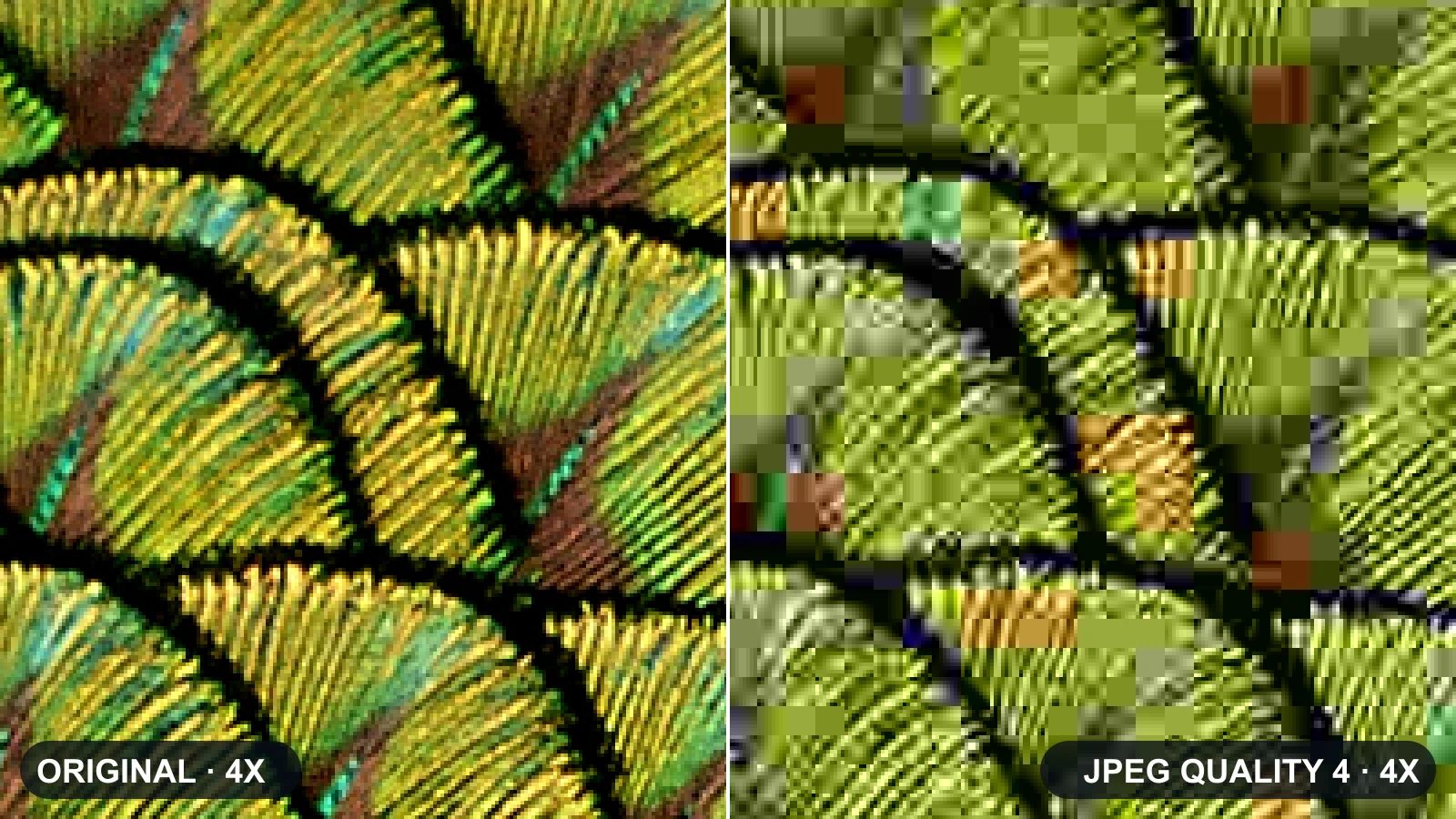
Yes—Adobe says Photoshop Neural Filters can help fix JPEG damage by removing JPEG artifacts, and the process is non-destructive. But Adobe also says the JPEG Artifact Removal filter has limits: it can soften fine textures and may not fully recover heavily compressed images. [1] [2]
.jpg)
SeekVero editorial · Published · Updated · Prepared with AI assistance; no hands-on testing claimed.
Prepared from cited sources. No hands-on testing claimed.
What Adobe says the feature can do
Adobe describes Photoshop Neural Filters as using Adobe Sensei machine learning to simplify complex editing workflows. For JPEG cleanup, Adobe says the filters can remove JPEG artifacts and work non-destructively, which makes them useful for trying to improve compressed photos without directly overwriting the original in the workflow. [1]
Adobe also notes that some Neural Filters require an internet connection for processing, and beta filters may produce varying results. That means availability and output can depend on the specific filter and setup you are using. [1]
Where the limits matter
Adobe’s own limitation notes say JPEG Artifact Removal is not a full restoration tool. Fine detail can become softer, textures may lose sharpness, and heavily compressed images may not be fully recoverable. For critical photo recovery, that means results can improve the image but still leave visible loss. [2]
Bottom line
If your goal is an AI photo fix for JPEG cleanup, Photoshop Neural Filters are a real Adobe option for reducing artifacts. They are useful for cleanup, but Adobe’s documented limits mean they are not guaranteed to restore every image cleanly, especially when compression damage is severe. [1] [2]
Frequently asked questions
Does Photoshop Neural Filters remove JPEG artifacts?
Yes. Adobe says the filters can remove JPEG artifacts and are non-destructive. [1]
Can it fully restore badly compressed photos?
Not always. Adobe says the JPEG Artifact Removal filter can soften fine textures and may fail to fully recover heavily compressed images. [2]
Do Neural Filters always work offline?
No. Adobe says some Neural Filters require an internet connection for processing. [1]
Next step
This takes you to Adobe’s documented capabilities, limits, and processing notes so you can check whether the feature fits your image-recovery needs.
View Adobe’s official Neural Filters help pages